CapMate watches your anchor all night and puts the boat’s instruments right on your watch: Apple Watch, Garmin or Wear OS. It works with your chartplotter, and the anchor alarm works even without internet.
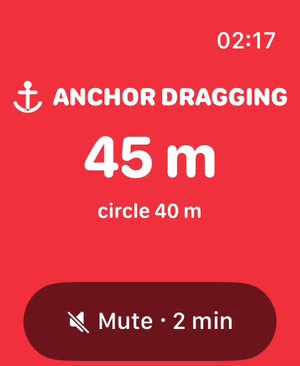
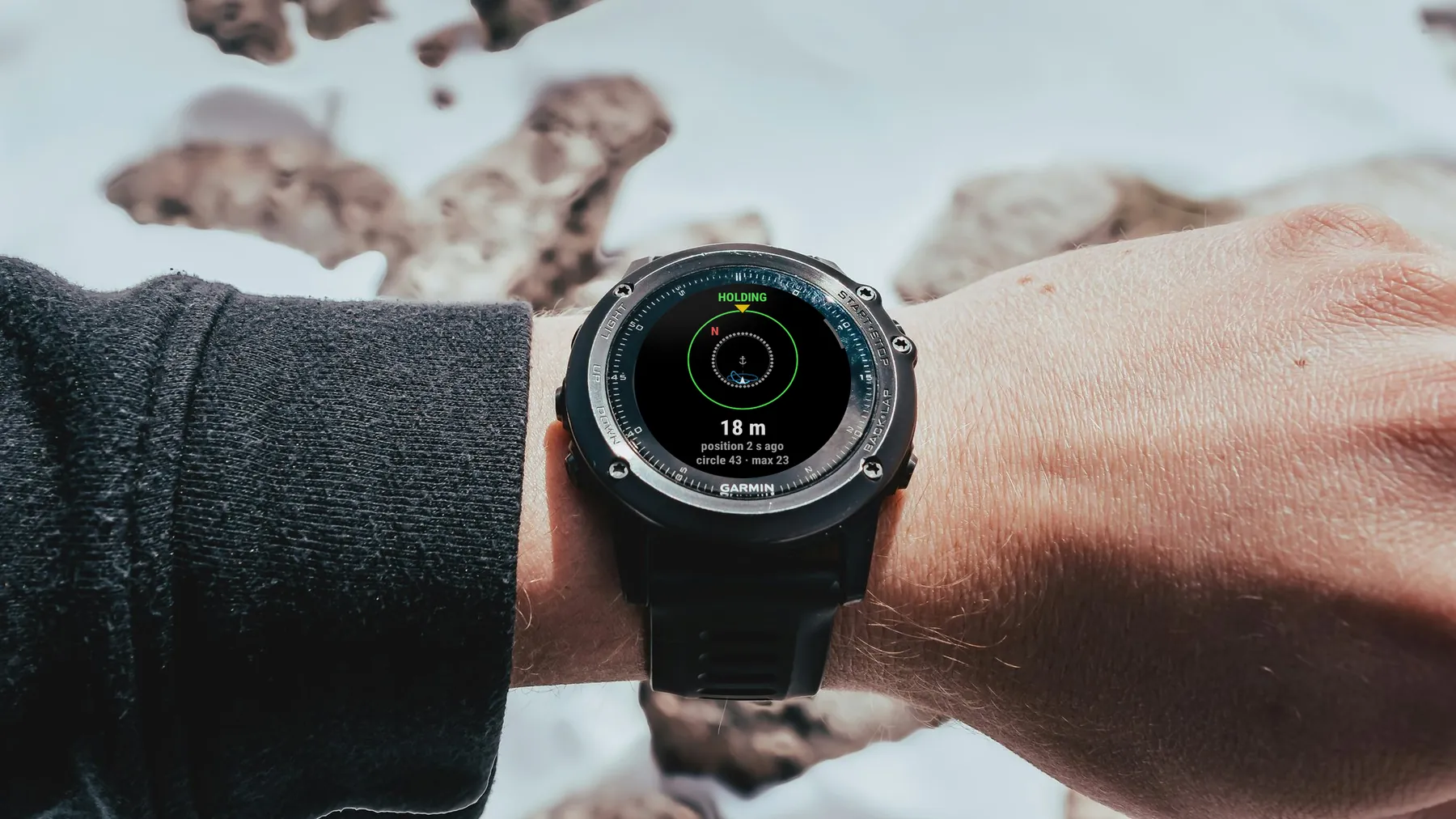
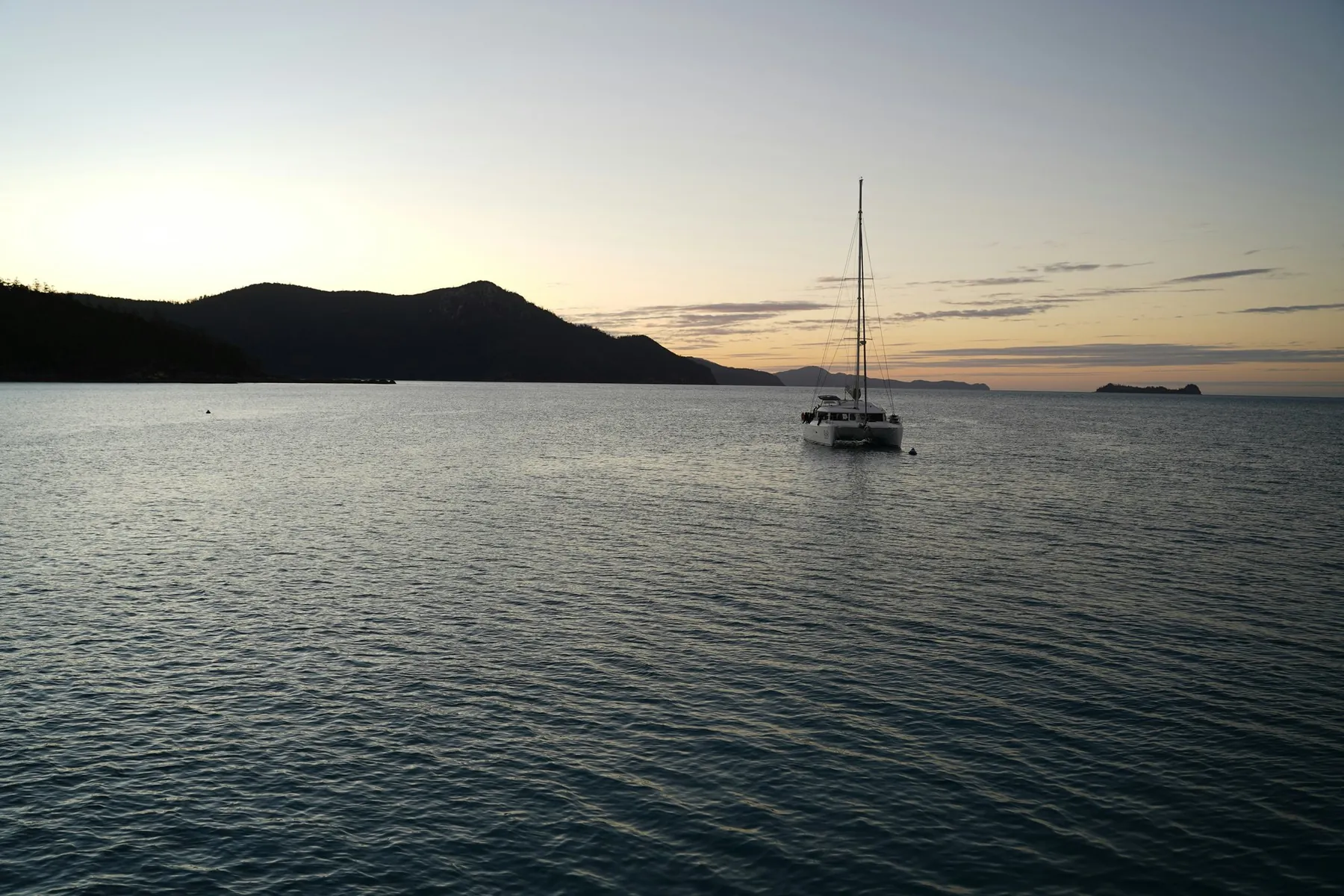
Once the anchor is down, CapMate notes the spot and keeps track of where the boat is all night. If the anchor starts to drag, the watch on your wrist vibrates and wakes you, even if your phone is at the other end of the cabin. The phone backs it up with a loud alarm.
A vibration on your wrist wakes you
The watch vibrates until you respond, and the phone backs it up with a loud alarm.
It never switches off silently
If the GPS signal drops, the battery runs low or the watch loses its link to the phone, CapMate warns you at once. The anchor watch never stops without you knowing.
No false alarms
GPS positions always wander a little. CapMate allows for that: it learns how your boat swings around the anchor and sounds the alarm only when the boat is really drifting away, not on a stray jump.
It starts at the right time
Drop the anchor and CapMate offers to start the watch. Weigh anchor and it ends by itself.
It keeps watch all night
It warns you if the wind shifts, a squall is forecast, the pressure drops or a neighbouring boat drifts towards you. In the morning it shows you how the night went.
It keeps an eye on the boat while you’re ashore
Going ashore for dinner? Leave a spare phone with CapMate on board: if the anchor drags, the alarm reaches your own phone and watch.
It tells you how much chain to let out
Enter the depth and CapMate works out the length of chain, allowing for the wind forecast and the tide. It warns you if there is seagrass underneath, and sets the alarm circle for you.
Shows where not to anchor
The chart marks no-anchoring zones, submarine cables and pipelines, anchorages, mooring buoys and seagrass on the bottom. The data is open (OpenStreetMap and EMODnet), so it doesn’t replace the pilot book or local rules.
Asks before it sounds the alarm
Heaving up the anchor? Your watch and phone first ask, “Weighing anchor?” Gone ashore in the dinghy with your phone? They ask, “Have you left the boat?” No answer, and the alarm sounds as usual. Ashore, you can pause the phone with “I’m off the boat”.
A PDF report of the night
Open a night in the log and get an A4 file: place and time, how you anchored, the farthest the boat swung, wind, pressure and depth, the track with a distance graph, alarms and your answers, and any gaps in the watch. Send it or save it.
Counts the chain at the bow
Drop the anchor and the watch counts chain marks: press to add a mark, step back to remove one. Each mark gives a short buzz, a double buzz one mark before the target length, a long one at it. The alarm circle sets itself from the chain you’ve let out.
Boat instruments
Your plotter, on your wrist
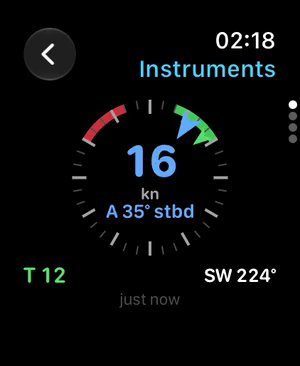
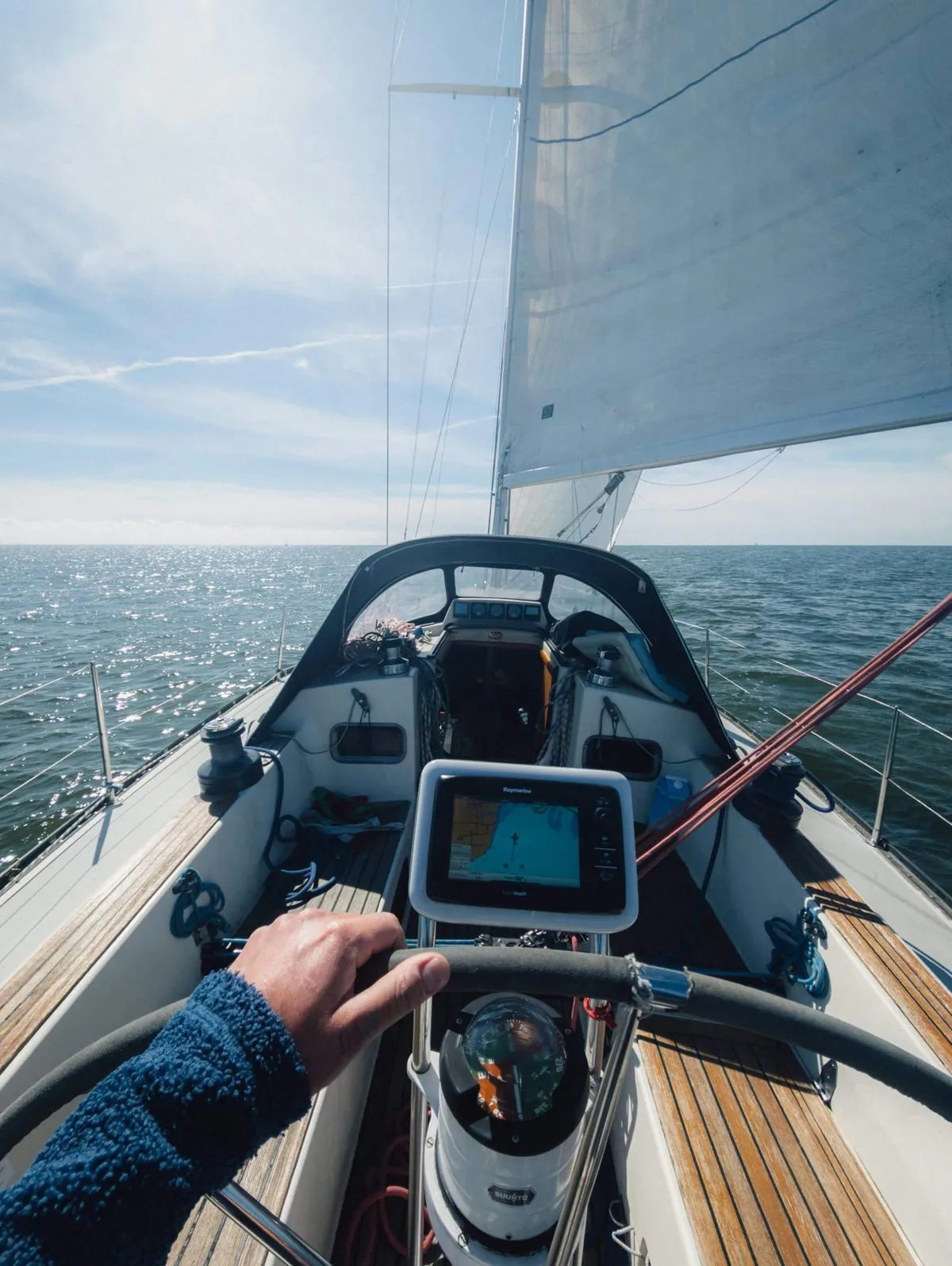
Wind, depth and speed right on your watch, even if the watch and the plotter are different brands. CapMate joins the boat’s Wi‑Fi, finds your plotter or gateway by itself and shows the numbers you need on your wrist, at the bow, by the mast or in your bunk.
Apparent and true wind, speed and angle
Depth with a shallow-water alarm
Speed through the water and over the ground, heading
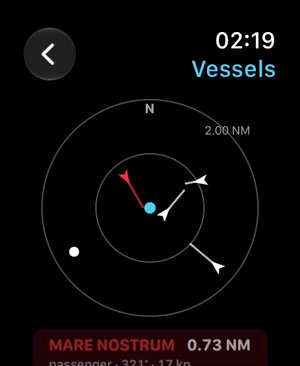
Vessels nearby, from the boat’s own AIS receiver
B&G, Simrad and Lowrance directly; Raymarine, Garmin, Furuno and others through a Wi‑Fi gateway
Nothing to set up: it finds the plotter or gateway itself
You won’t need to buy a new one. CapMate is built specifically for Apple Watch, Garmin and Wear OS: big numbers you can read at a glance, buttons that work with wet fingers, and at night a red mode that doesn’t dazzle you.
Series 6 and later, SE and Ultra. The watch keeps the anchor watch by itself, even without the phone nearby. On Ultra, man overboard is on the Action button.
Man overboard in one press
Regatta start with signals
Anchor watch on your wrist
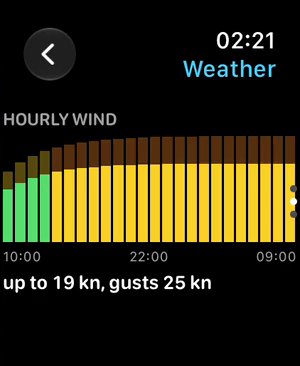
Wind and depth at a glance
Red night mode
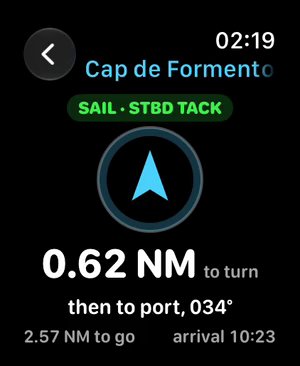
Guidance to a waypoint
Vessels nearby
The CapMate app for Garmin watches works on 52 models: fēnix, epix, Forerunner, quatix, Enduro, MARQ, Venu, vívoactive and Instinct. The phone keeps the anchor watch, and the watch wakes you with a vibration and shows wind, depth and speed.
epix Pro · anchor watch
fēnix 8 · depth and wind
Forerunner 965 · man overboard
Galaxy Watch and other Wear OS watches. They keep the anchor watch by themselves, even without the phone nearby, and show the boat’s instruments.
Anchor watch on your wristWind and depth at a glance
More on the wrist
Chart of your area on the watch
Coastline, the 5 and 10 m depth contours and hazards around the boat, with your anchor and alarm circle, the route and the man overboard mark on top. The phone sends the area: one you downloaded earlier or one it orders online.
Garmin
Instruments without the phone
The watch joins the boat’s Wi‑Fi by itself, finds the plotter or gateway and shows wind, depth and speed. Leave the phone in the cabin.
Wear OS
On the watch face and in the Smart Stack
Anchor, wind, race start, guidance to a waypoint and man overboard as complications. While the anchor is down, the anchor watch card rises to the top of the Smart Stack. Anchor watch, start and man overboard can sit in Control Center or on the Action button.
Apple Watch
Tiles and complications
The Anchor tile shows the distance from the anchor and the state of the watch; the Weather tile shows wind, gusts, pressure and the tide. For the watch face: pressure, tide, forecast wind and the sun.
Wear OS
Free
All the safety features are free
The anchor watch with its alarm, and man overboard, are in the free version, on the phone and on the watch, with no trial period. You only pay for the extra features, and only if you need them.
Anchor watch and man overboard
Free on the phone and the watch, with no time limit.
Depth and vessels nearby
Depth with a shallow-water alarm, and close-approach warnings from the boat’s own AIS receiver, are in the free version too.
Works without internet
The chart, the anchor watch and the instruments work at sea, where there is no signal.
An account is optional
You can start straight away. Sign in with Apple or Google and your points, routes and night logs are saved in the cloud, move to a new phone with you and are on all your devices, even if you use both iPhone and Android.
Your data can be exported
Points, routes, tracks and night logs export to GPX and CSV, so you can open them in another navigation app or a spreadsheet.
No ads
On screen you see the chart and the instruments, not banners.
Charts and routes, weather and tides, vessels nearby and a place for the night: all in one app instead of five.
Chart and routes
Three ways to get there
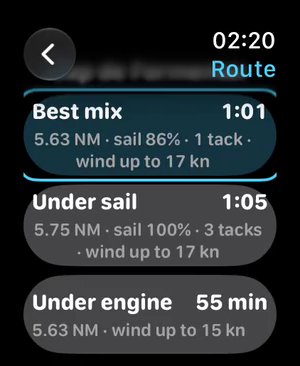
A chart with depths for the whole world, covering sea, rivers and lakes. It loads as you go and stays on your phone, and you can download the region you need in advance. Tell CapMate where you are heading and it suggests three routes: under sail, under engine, and the best one for the forecast. Then it guides you like a car sat nav, and your watch vibrates before every change of course.
The world’s chart, online or offline
Rivers, lakes and reservoirs
Watch prompts before each change of course
Weather
Weather the way sailors read it
Wind, gusts, waves and rain flow across the chart as a moving layer. CapMate compares five forecast models and shows how closely they agree, so you can see at once how far to trust the forecast. Official weather warnings are available for any area in the world. And “Ready to sail” checks the forecast against your own wind and wave limits and suggests the best time to leave.
Wind on the chart, hour by hour
Five forecast models and how far they agree
Official warnings worldwide
The best time to leave, within your limits
Tides and currents
Know the water under your keel
CapMate shows the times of high and low water, the depth at your anchorage allowing for the tide, and the current anywhere on the chart. Next to the numbers it always says where they come from.
Depth at anchor, allowing for the tide
Current anywhere on the chart
Tide on the watch’s anchor screen too
Vessels nearby
Know who is heading your way
Vessels around you, from the boat’s own AIS receiver or from the internet. CapMate shows how close and how soon each one will pass, and sounds an alarm when one comes dangerously close. In a marina it stays quiet, and the alarms switch on again by themselves once you head out to sea.
Bays and marinas
Find a good spot for the night
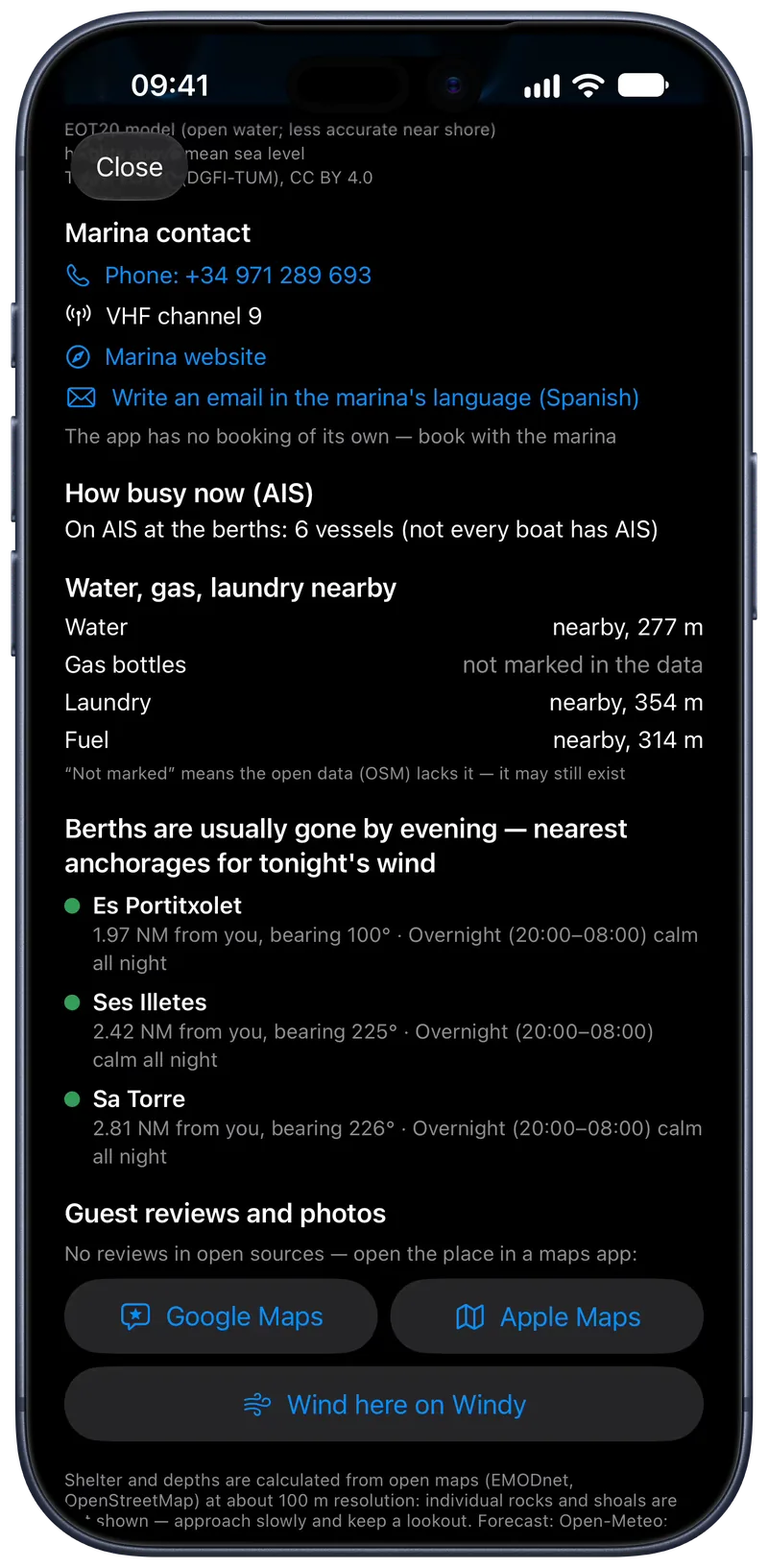
Anchorages, bays, marinas and fuel pontoons on the chart. A marina card shows the phone number, VHF channel, website and booking, and CapMate helps you write to the marina in the local language. Marina full? It points you to the nearest anchorages that are sheltered from the wind overnight.
Any screen
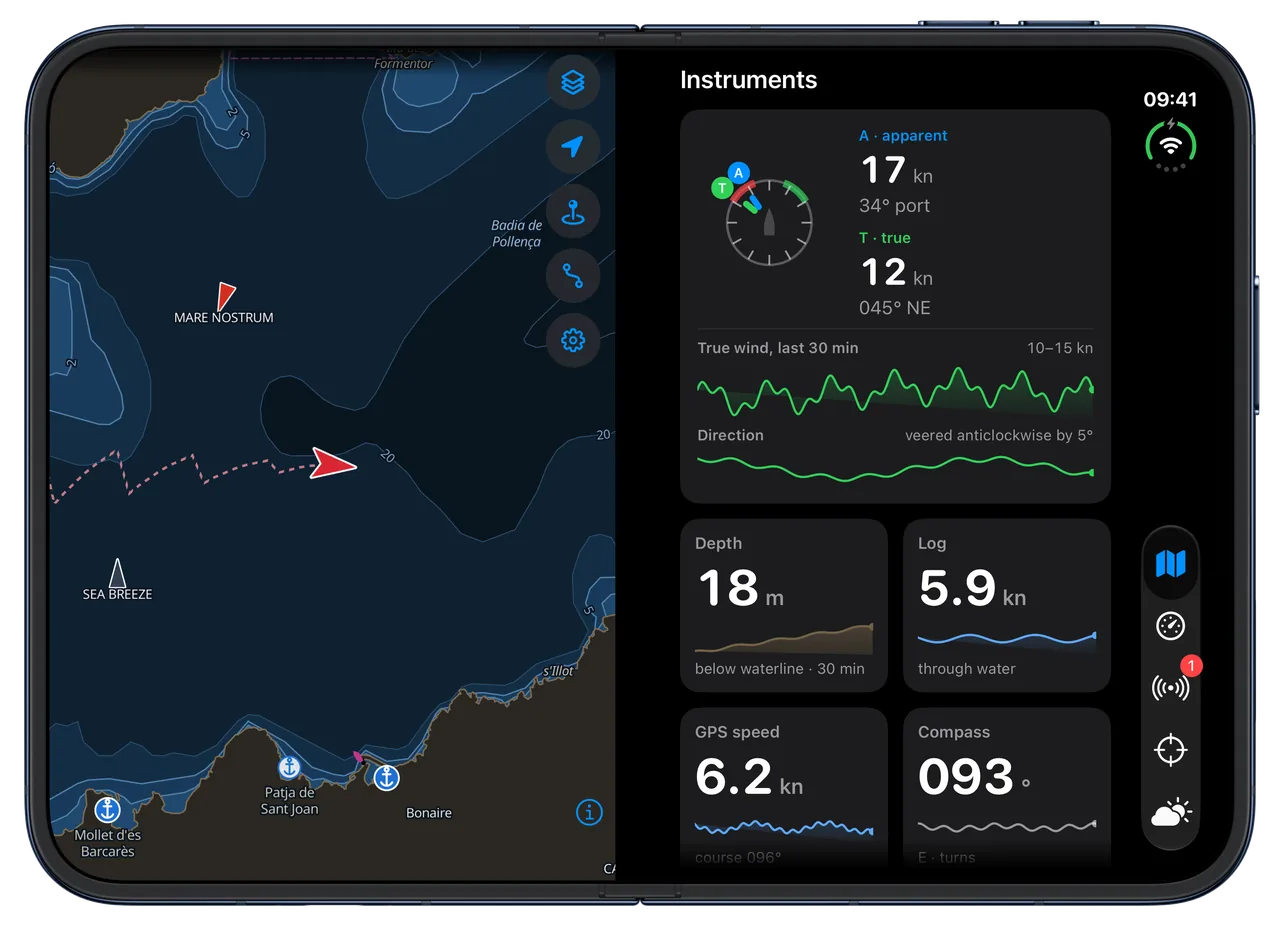
Tablets and foldables get their own layout
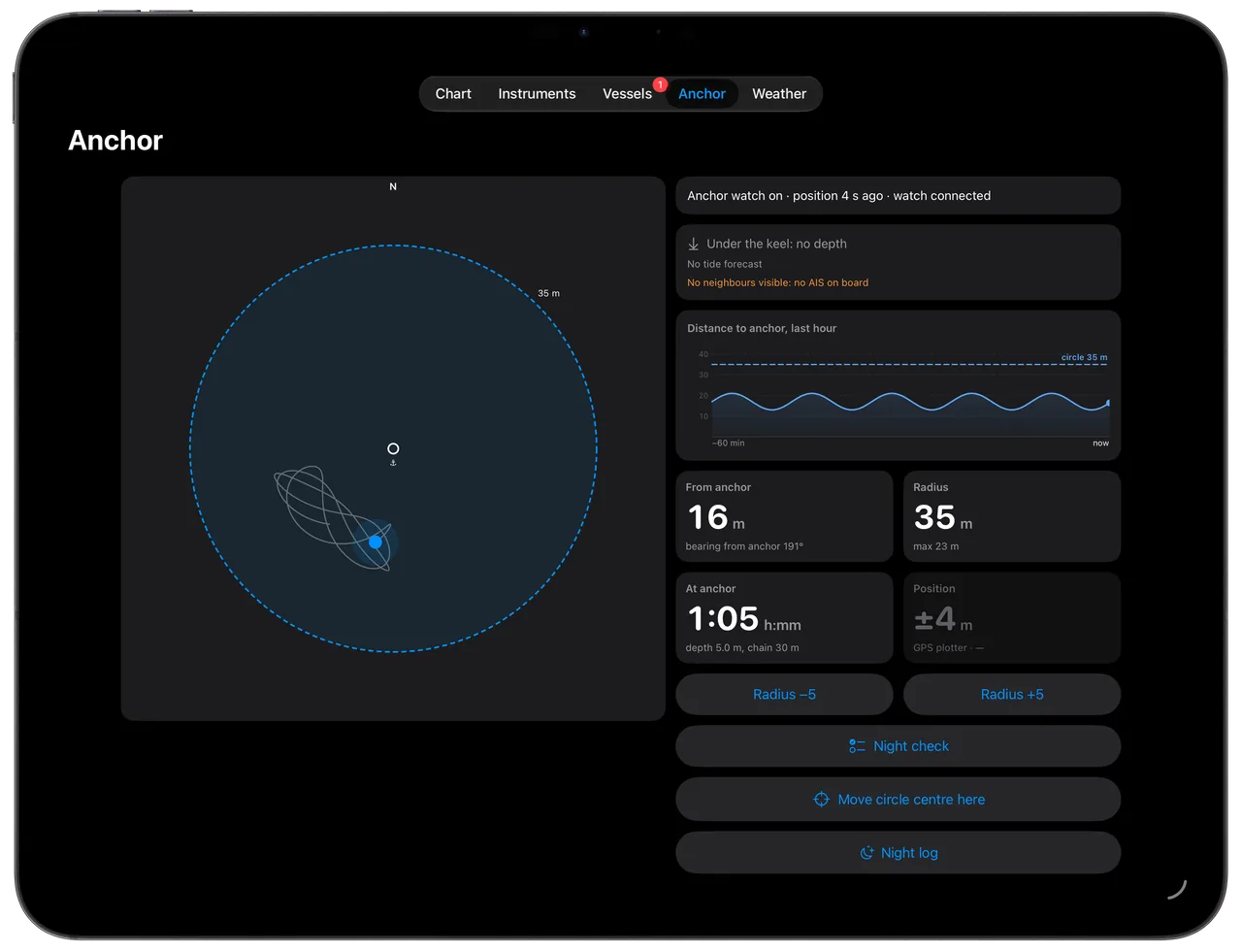
CapMate doesn't just stretch the phone screen. On iPad, Android tablets and unfolded phones, the anchor circle, instruments and route map are laid out for the bigger screen.
iPad in landscape: anchor watch
iPhone Duo unfolded: chart and instruments
Charter
On a charter for a week? Pay for a week.
Bring your own anchor watch and instruments to any boat with a plotter. A weekly pass ends by itself, with nothing to cancel. For your own boat the annual subscription is better value, and subscribers from the first season keep their price in the years that follow.
Week pass, no subscription
Annual subscription for your own boat
The first-season price is kept
Three days of full access, started when you are ready
CapMate is an extra pair of eyes, not a substitute for a reliable anchor and good seamanship. It is designed for the two main problems of anchor apps: false alarms from an imprecise GPS fix, and silent failures. If the anchor watch stops for any reason, you find out straight away.
Which chartplotters does it work with?
B&G, Simrad and Lowrance work directly: the plotter shares its data over Wi‑Fi itself. Raymarine, Garmin and Furuno don’t share data with third-party apps, so they need a Wi‑Fi gateway (Yacht Devices, Actisense, Digital Yacht, Quark-Elec and others). CapMate understands NMEA 0183, NMEA 2000 in the common formats and Signal K, and finds the gateway by itself. Which plotters and gateways work →
Does the anchor alarm work in the background?
Yes. On iPhone, Android, Apple Watch and Wear OS the anchor watch keeps running in the background. Garmin watches can’t run in the background, so the phone keeps the anchor watch and your Garmin wakes you with a vibration.
How can I keep an eye on the boat from ashore?
Leave a spare phone on board with CapMate running. It keeps the anchor watch and sends the alarm over the internet to your own phone and watch. The phone on board needs mobile data.
Do I need internet at sea?
Not for the chart, the anchor watch, the instruments or your saved points. Weather, warnings and vessels from the internet do need a connection, and CapMate always shows how fresh that data is.
Which watches are supported?
Apple Watch Series 6 and later, SE and Ultra; Garmin fēnix, epix, Forerunner, quatix, Enduro, MARQ, Venu, vívoactive and Instinct — 52 models in total; Galaxy Watch and other Wear OS watches.
Do I need to register?
No, you can use it straight away. An account is optional: sign in with Apple or Google and CapMate keeps a copy of your points, routes, tracks and night logs. Get a new phone and everything is still there, and the data is the same on iPhone, iPad and Android. An account also makes keeping watch from ashore easier: the spare phone on the boat contacts your own phone and watch by itself.
What is free and what do I pay for?
Free: the anchor watch with its alarm, man overboard, depth with a shallow-water alarm, dangerous close approaches picked up by the boat’s own AIS receiver, and weather warnings. With a subscription: all the instruments on the watch, routes, weather layers, keeping watch on the boat from ashore and the rest. There is a weekly pass for charters and an annual subscription; prices will be announced at launch.
When will it be available?
CapMate is being tested on real boats now: on iPhone and Apple Watch, Android and Wear OS, and Garmin. After that it will come to the App Store, Google Play and Connect IQ.
Which languages is the app available in?
Ten: English, German, French, Italian, Spanish, Portuguese, Dutch, Polish, Ukrainian and Russian, on your phone and on your watch. The app follows the language set on your device.
Built on the water, not at a desk
Get CapMate
Every feature has been tried at anchor and under way. CapMate is coming to the App Store, Google Play and Garmin Connect IQ.